Smart infrared sauna controls are the layer that decides whether your cabin is hot when you walk in or whether you spend the first 20 minutes staring at a cold panel. In my setup, three things carry the load: the built-in controller, a 16A smart plug, and a home-automation rule that preheats on a schedule. Everything else is decoration.
I have lived with far-, near-, and full-spectrum units through enough Swedish winters to be opinionated about this. The factory touchscreen on an infrared cabin is almost always the weakest part of the build — slow, vague about actual panel temperature, and stuck to a 30-minute timer that pretends the room is already warm. The fix is not a fancier touchscreen. It is treating the sauna as one more current-drawing device on a rule engine you already run, then metering what it actually does. This guide is how I wire, schedule, and measure mine, and where the EMF and electricity-cost reality bites.
What “smart controls” actually means on an infrared sauna
A smart sauna control system is any layer that lets you switch, schedule, or monitor the cabin without standing at the door pushing buttons. At minimum that is a smart plug carrying the full resistive load. At the top end it is a Home Assistant automation that preheats on a calendar, watches a panel-temperature sensor, and logs kWh per session.
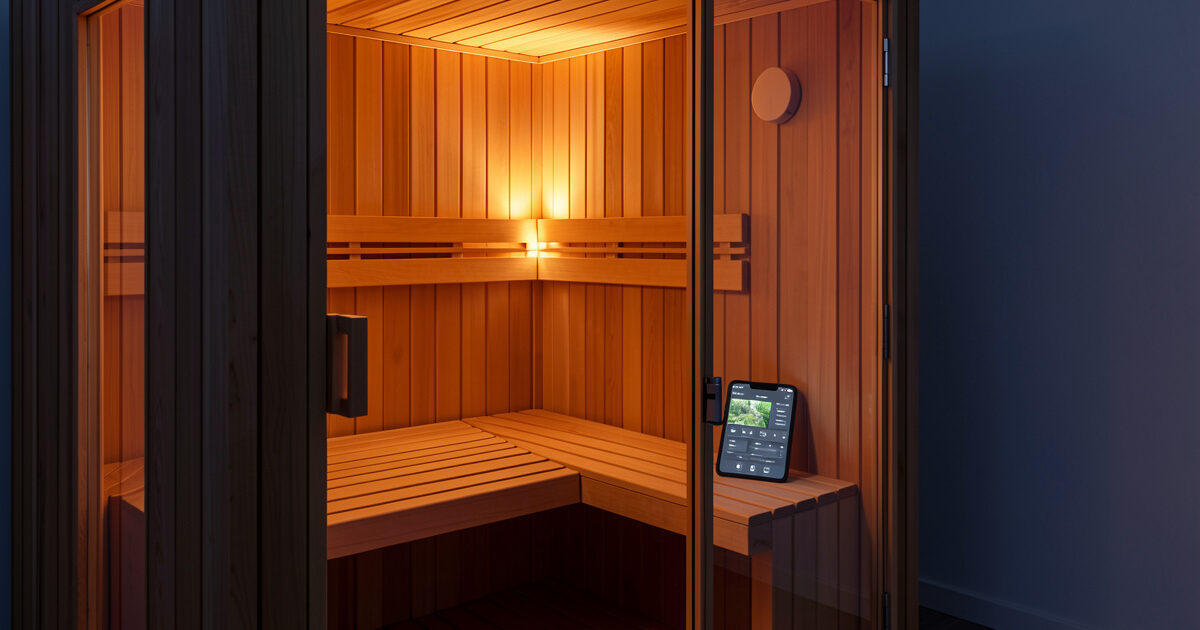
The thing buyers get wrong is assuming “smart” means the cabin’s own app. Most factory apps are a Bluetooth or cloud bridge to the same limited controller — they let you start the unit from the next room and nothing more. Real control is about three independent jobs: switching the load safely, scheduling a preheat so the cabin is at set temp when you arrive, and measuring what the session drew so you know the running cost. A single touchscreen does none of those well. Splitting them across a plug, a thermostat, and a hub is what turns a cabin into something you actually use four nights a week instead of two.
The four control layers, and which ones matter
I think about sauna control as four stacked layers. You do not need all four — but knowing which layer does what stops you buying a gadget that duplicates one you already have. The factory controller is layer one. A smart plug is layer two. A room thermostat or inline temperature sensor is layer three. A hub running automation rules is layer four.
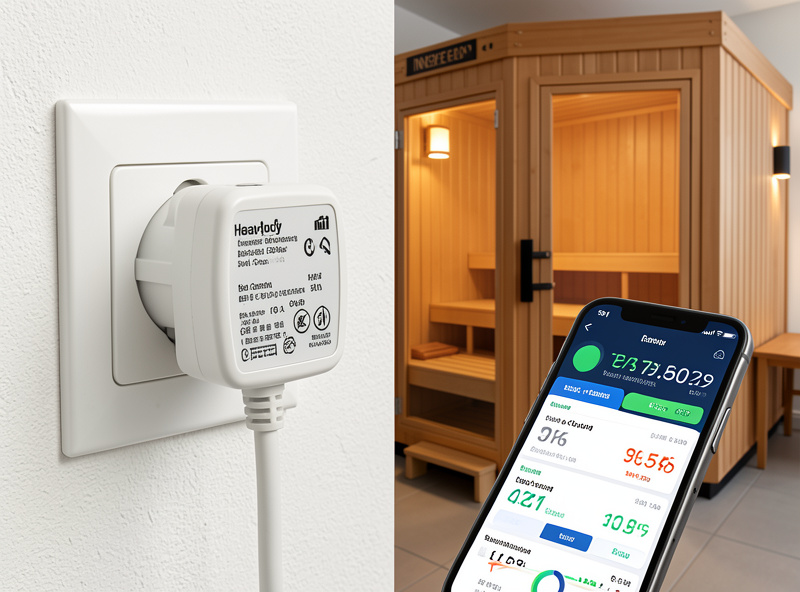
Most owners stop at layer one because that is what shipped in the box. The single highest-value upgrade is layer two — a smart plug rated for the cabin’s amperage — because it unlocks remote remote preheat and basic energy monitoring for the price of one part. Layer four is where the polymath crossover lives: the same hub that runs my grow lights and pulls the EMF picture together also schedules the cabin. One rule engine for everything that draws current.
| Control layer | What it does | Cost | Best for |
|---|---|---|---|
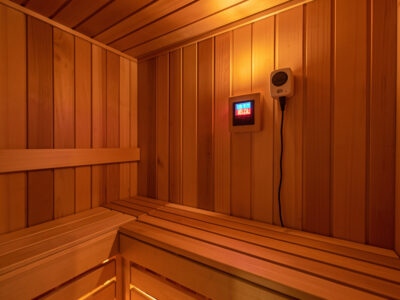
| Factory controller | On/off, set temp, fixed timer | Included | Baseline — keep it as the safety cutoff |
| Smart plug (16A+) | Remote on/off, schedule, energy monitor | $20–$45 | The single best upgrade for most owners |
| Room thermostat / sensor | True room temp, deadband cutoff | $25–$120 | Cabins whose controller misreads felt heat |
| Automation hub | Calendar preheat, logging, conditional rules | $0–$150 | Households already running smart-home gear |
Smart plugs and the load problem nobody warns you about
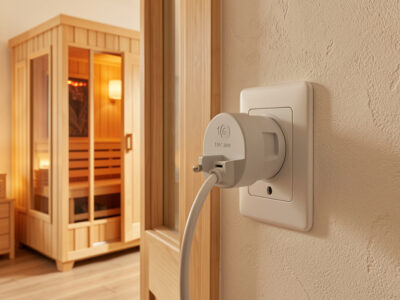
An infrared cabin is a resistive heat load, and that changes which smart plug is safe. A 2-person far-infrared unit draws roughly 1,500–1,800W on a 120V circuit, which is about 13–15A continuous. A cheap 10A smart plug will run warm, then fail — usually the relay welds or the housing discolours. You want a plug rated for at least 16A continuous, and ideally one with a metal-contact relay, not the smallest budget model on the shelf.
This is the most common mistake I see: someone buys a $12 plug rated for a lamp and hangs a 1,600W heater off it. The plug’s rating is for a brief inrush, not hours of continuous resistive draw. On my bench a properly rated 16A plug runs barely warm to the touch after a full session; an underrated one was noticeably hot at the housing within 20 minutes. If your cabin is a 4-person or full-spectrum unit on a 240V circuit, a standard plug-in smart switch is the wrong tool entirely — you are into hardwired contactor or in-wall relay territory, and that is an electrician’s job. The full breakdown of plug selection lives in my smart plug for infrared sauna guide.
As an Amazon Associate I earn from qualifying purchases. When I point people at a plug I tell them to search for a 16A smart plug with energy monitoring rather than a model number, because the safe-rated SKUs rotate constantly and the rating matters more than the brand.
The EMF angle: where the field actually comes from
Adding smart controls changes your EMF picture, and almost nobody measures it. On my TriField TF2 the dominant magnetic field in any infrared cabin comes from the heater panels and the wiring runs behind them — not from a smart plug sitting at the wall. A plug-in switch adds a small electric field at the outlet and effectively nothing to the milligauss reading you take six inches from a panel. So the “does a smart plug raise my EMF?” worry is mostly misplaced.
What does move the number is the controller and any relay that sits inside the cabin. A relay clicking a 15A load on and off, mounted close to where you sit, is a real local source. In my low-EMF daily driver the controller is mounted low and outboard, and the magnetic reading at the bench stays in single-digit milligauss. The lesson is to keep switching hardware — plug, relay, contactor — away from your body and let the long resistive runs be the only thing close to you. If you want the method rather than the verdict, I walk through it in measuring sauna EMF with a TriField and what the low-EMF label actually changes. For the deeper hardware story see the heater types and EMF guide.
Remote preheat: the one feature that earns its electricity bill
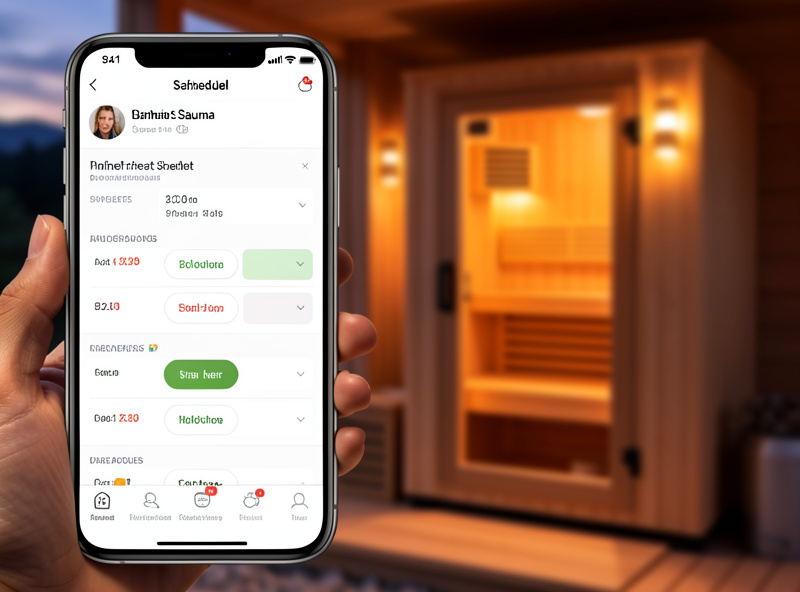
Preheat is the feature that converts a smart plug from a toy into something you use every night. An infrared cabin needs roughly 15–25 minutes to bring panel surfaces and the air to a usable set temp from cold, depending on heater type. If you flip it on when you get home, you wait. If a schedule or a phone tap flips it on while you are still finishing dinner, you walk into a hot cabin.
In my session log the difference is not subtle: scheduled preheat is the single change that moved my own usage from “twice a week when I remember” to a genuine winter routine. The mechanics are simple — a smart plug with a schedule, or a hub rule tied to a calendar or your phone’s location. The trap is preheating an empty cabin for an hour because a recurring schedule fired on a night you were away. That is wasted kWh and unnecessary panel hours. I cover the timing math and the “don’t heat an empty box” guardrails in the dedicated remote preheat guide, and the always-on convenience layer in voice-controlled sauna integration.
Energy monitoring: knowing what a session really draws
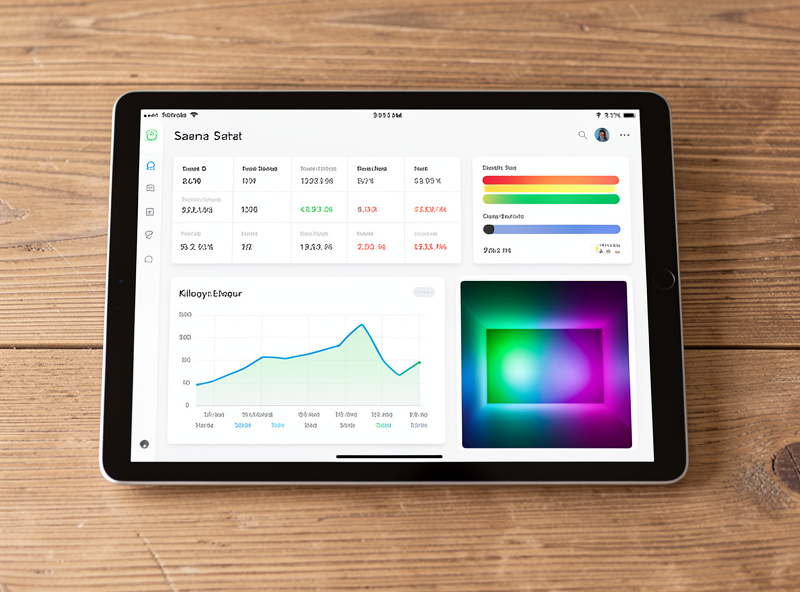
The line most buyers never run is the actual electricity cost per session, and an energy-monitoring smart plug answers it without a separate meter. My kill-a-watt and a monitoring plug agree closely: a typical 40-minute session in my 2-person far-infrared cabin draws somewhere around 0.6–0.9 kWh once you account for the initial ramp pulling full wattage and the steady-state cycling that follows. Multiply by your tariff and you have the real running cost, not the marketing “pennies a session” line.
That number matters for two reasons. First, it is the honest answer to “what does this cost to run,” which I cover in depth in infrared sauna electricity cost and the broader ownership economics guide. Second, the per-session draw is a quiet diagnostic: if your cabin suddenly pulls more kWh for the same set temp, a panel is degrading or the cabin is losing heat through a failing seal. A monitoring plug turns that into a chart instead of a surprise. The full method — which plug, how to read the data, what normal looks like by heater type — is in sauna smart plug energy monitoring.
Thermostat control: set temp versus felt heat
Factory controllers report set temp, not the temperature your skin actually feels, and that gap is where a room thermostat earns its place. Infrared heats objects and bodies directly, so air temperature lags well behind radiant load — a cabin reading 130°F on its panel-mounted sensor can feel hotter or cooler than another cabin at the same number, depending on where the sensor sits. A separate room thermostat or an inline temperature probe gives you a second, honest reading and a deadband cutoff that stops the cabin overshooting.
I do not run a thermostat on my low-EMF daily driver because its controller happens to read true, but on the single-person carbon-panel cabin the factory sensor reads low and I added an independent probe to catch it. If your unit consistently feels off versus its display, that is the symptom a thermostat fixes. The selection and wiring detail is in sauna room thermostat control, and it pairs with what I cover in infrared sauna temperature.
Chromotherapy and lighting control
Most cabins ship with a chromotherapy LED bar, and bringing it onto your control layer is low stakes but genuinely nice. The light draws a few watts, carries no meaningful EMF or load concern, and pulling it onto the same hub means the cabin’s lighting follows the session — warm dim on preheat, your chosen colour during the session, off at the end. I treat chromotherapy as comfort and ambience, not therapy: the colour-equals-health claims are marketing, and I keep that line clear.
What I will say is that controllable, dimmable lighting makes the cabin somewhere you actually want to sit in a dark Swedish January, and that is reason enough. If you want to control the colour, dimming, and how it ties into a preheat scene, that is the chromotherapy sauna light control guide. For the genuinely therapeutic-adjacent lighting question, near-infrared bulbs are a different category covered in red light sauna — do not confuse a colour LED with a NIR emitter.
Apps and timers: which software actually helps
A good sauna timer app does one job — a reliable countdown and a nudge when to get out — and most factory apps over-reach trying to be a wellness platform. I keep mine deliberately simple: a session timer, the energy data from the monitoring plug, and a loose log of duration, set temp, and how I felt. That is enough to notice patterns across heater types without turning recovery into quantified-self theatre.
The honest take is that you rarely need the cabin manufacturer’s app at all once a smart plug and a hub are doing the scheduling and switching. A generic timer app, your hub’s dashboard, and a notes file cover it. I go through the options — standalone timer apps, hub dashboards, and what to skip — in best sauna timer app, and the deeper logging approach in automated session tracking.
Heater type changes your preheat math
The control layer you build should match the heater you own, because ramp behaviour is not the same across panel types. Across the heaters I have lived with, a carbon-fiber panel ramps gently and evenly — it reaches a comfortable felt heat slowly, so a longer scheduled preheat suits it. Ceramic rods hit a high surface temperature fast and radiate hard in a narrow footprint, so they preheat the air quicker but create cold spots you feel if you sit off-axis. A near-infrared halogen emitter in a full-spectrum unit comes up almost instantly but only warms what it is pointed at.
Why does this matter for controls? Because a single “preheat 20 minutes” rule is wrong for half of these. On my carbon-panel cabin I schedule a longer, earlier preheat; on the full-spectrum unit a short one is plenty because the NIR emitter does not need a long soak. If you do not know which heater you have or how the bands differ, start with carbon vs ceramic heaters and near vs far infrared — the control schedule follows from the hardware, not the other way around. A thermal camera is the honest way to see where your cabin actually heats, which is how I map cold spots before deciding where the temperature sensor should live.
Wiring, the dedicated circuit, and where a relay belongs
Smart control sits on top of a sound electrical install, and skipping that step is where people get into trouble. An infrared cabin belongs on its own dedicated circuit with GFCI protection — not sharing a breaker with the bathroom or the kitchen. A plug-in smart switch is fine on a 120V unit within the plug’s amperage rating. The moment you are dealing with a 240V or 4-person cabin, the switching layer is no longer a plug — it is a hardwired contactor or in-wall relay, and that is an electrician’s job with a local-code conversation, not a weekend automation project.
If you do add an in-cabin relay or contactor, mount it low and outboard so its switching field is not next to where you sit — the same EMF logic that governs the controller. I keep my switching hardware at the wall and let only the long resistive runs come near the bench. For the full picture on circuit sizing, breakers, and GFCI, the installation requirements guide and 240V and breaker requirements are the place to start before you buy any switching part. Ventilation matters here too: an automated cabin that preheats unattended still needs to dry out properly after a session, and a hub rule is a tidy way to run an exhaust step.
Putting it together: my actual setup
Here is how the layers stack in my house, end to end. The 2-person far-infrared cabin runs on its own dedicated circuit through a 16A energy-monitoring smart plug. The plug is the hard cutoff and the meter. A Home Assistant rule preheats it on the evenings I usually use it, but only fires if my phone is home — that is the guardrail against heating an empty box. The chromotherapy bar is on the same hub and follows a “sauna” scene. The factory controller still sets temperature and acts as the final safety timer, because I never want the automation to be the only thing standing between a panel and an unattended overheat.
The whole thing is deliberately boring and that is the point. The cabin sits on its own network segment for the same reason every other always-on device does — I keep wellness gear off the main LAN, which I explain in smart sauna networking and VLANs. If you run the cabin on solar or battery, the resistive surge is its own sizing problem, covered in sauna on solar. The deep version of the automation — rules, sensors, failure modes — is the Home Assistant sauna automation guide. Safety always comes first: read sauna safety before you automate anything that applies heat while you are not watching it.
What I would not bother automating
Not every “smart” feature is worth the part. Voice-start is genuinely convenient; voice-set-temperature is a gimmick I never use because I set temp once and leave it. Cloud-only cabin apps that stop working when the manufacturer’s server goes down are a liability — I keep the local smart plug as the layer that always works. And I would never automate the cabin to run completely unattended on a long schedule; heat plus an empty house is a fire-safety line, not a convenience question. Automate switching, scheduling, measuring, and lighting. Leave the safety timer and the human in the loop exactly where they are.
Related Guides
- Smart Plug for Infrared Sauna: Choosing a Safe-Rated Switch
- Infrared Sauna Remote Preheat: Walk Into a Hot Cabin
- Sauna Smart Plug Energy Monitoring: Real kWh Per Session
- Sauna Room Thermostat Control: Set Temp vs Felt Heat
- Home Assistant Sauna Automation: Rules and Sensors
- Chromotherapy Sauna Light Control: Scenes and Dimming
- Best Sauna Timer App: What Actually Helps
Frequently Asked Questions
Can I run an infrared sauna on a smart plug?
Yes, if the plug is rated for the cabin’s continuous current. A 2-person 120V far-infrared unit draws about 13-15A, so use a plug rated 16A or higher with a metal-contact relay. Avoid cheap 10A lamp plugs, which run hot under continuous resistive load.
Does a smart plug add EMF to my sauna?
Almost none where it matters. On a TriField meter the dominant magnetic field comes from the heater panels and wiring close to your body, not a plug at the wall. A switching relay mounted inside the cabin near where you sit is the real source to keep outboard.
What is the most useful smart sauna control upgrade?
A correctly rated energy-monitoring smart plug. For the price of one part it unlocks remote preheat so the cabin is hot when you arrive, plus real kWh-per-session data so you know the running cost. It is the single highest-value layer for most owners.
How long does an infrared sauna take to preheat?
Roughly 15 to 25 minutes from cold to a usable set temperature, depending on heater type and cabin size. Carbon panels ramp gently, ceramic and NIR emitters reach surface temp faster. A scheduled preheat means you skip the wait entirely.
Do I need the manufacturer’s sauna app?
Usually not. Once a smart plug handles switching and scheduling and a hub or generic timer app handles the session, the factory app adds little. Keeping control on a local smart plug also means the cabin still works if the manufacturer’s cloud server goes offline.
Is it safe to automate sauna preheat while away from home?
Schedule preheat, but tie it to presence so it only fires when someone is home, and keep the factory controller as the final safety timer. Running a heater unattended on a long open-ended schedule is a fire-safety line, not a convenience feature.